
Here we’ll look at adding Google’s +1 button in your app. Yep, its that tiny little g +1 button that turns red when you click it. You might have noticed it on the Play Store. Using the latest libraries, I’ll show you how to include one real quick in your apps. So people can +1 directly from your app!
Author: Suleiman
-
DIY Floating Action Button Part 2
In this post, I’ll show you how to make your Floating Action Button behave as it should on Lollipop devices. Elevation and ripple effects is what we’ll be achieving.
Part 1 of this post already covered how to make a Floating Action Button (FAB) and set it up for pre Lollipop. Check out part 1 first if you haven’t already.
-
Create a Material Color Palette in NO time
If you’re familiar with the new theme setup in Android since AppCompat v21, you’ll need to define 3 colors from the start. That being your colorPrimary, colorPrimaryDark and accent. However I’m pretty sure JUST those 3 isn’t enough for your robust app and to add to it, deciding on colors and how it would look is no ordinary feat (at least for me).
There are a lot of online resources that give us a visual palette to pick from. I’ll point you to one that gets the work done in just 2 clicks!
-
DIY Floating Action Button Part 1
If you’ve gone through my Implement a Floating Action Button post, it shows you how to setup a neat FAB by using a library with relatively minimal effort. This post is for those who would like to avoid using one (like me) and make your own instead. I’ll show you how to make a FAB very easily using XML only.
-

AppCompat v22.1 Support Library
A lot of things have changed (for the better) with the support library. In AppCompat v22.1 various updates have been made to a lot of components as well. Let’s take a look at what’s new.
-
Implement Floating Action Button – Part 2
I’d recommend going through Part 1 of the implementation first. It covers how you can quickly setup a Floating Action Button. Though if you feel you’ve already got that covered, feel free to proceed.
In this part, I’ll show you how we can add some neat animations to our Floating Action Button (FAB) such as the initial grow animation, as well as a Quick Return pattern (famously seen on the Google+ app).
-
Implement Floating Action Button – Part 1
What is a Floating Action Button?
A new component introduced in Material Design is the Floating Action Button. It is an elevated circular view that floats above the UI in the bottom right. Its usually noted by its distinct visual that emphasizes that screen’s most important action.
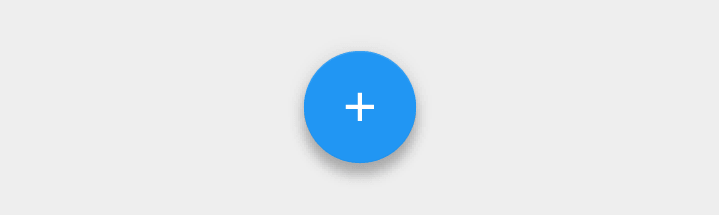
I’ll show you how we can quickly set up one that works on devices preceding Lollipop in this relatively simple tutorial.
-
Toolbar Height in Landscape mode (FIX)
Toolbar height issue
 If you’ve noticed by now, the Toolbar height by default when compared in normal and landscape mode, is different. There seems to be extra padding at the bottom where the Toolbar title is not vertically centered.
 -
Why app design is important
As developers, we code our apps stuffing them with every possible feature we thought of it to have. It originated with one great idea, and we thought of numerous ways to better it by adding more ‘cool’ features to it, overlooking app design. Finally when we’ve made our apps, maybe put it on the Play Store, showed it off to our friends and others, we may begin to see that not everyone is as pleased to use your app like you do.